OAuth 2.0 authorization code flow with PKCE
OAuth 2.0 lets an app act for you without seeing your password. Here is every flow drawn step by step: authorization code with PKCE, with and without a client secret, the retired implicit flow, client credentials and the device flow, and which one to use.
Opens a copy in the editor, in a new tab, ready to change. No account needed.
What’s in this diagram
services and parts
- You (the resource owner)
- Client app (in a browser or on a phone)
- API (resource server)
- /authorize (sign-in and consent)
- /token endpoint
- Signing keys (JWKS)
groups
- Authorization server
Key points
- OAuth 2.0 is about authorization: what an app may do for you. Who you are is OpenID Connect's job.
- For any app with a user, use the authorization code flow with PKCE. It works with or without a client secret.
- The implicit flow and the password grant are retired. Don't build new apps on them.
- Use client credentials for service-to-service calls with no user, and the device flow for TVs and command-line tools.
The whole story, step by step: How OAuth 2.0 works: every flow, drawn out.
More diagrams
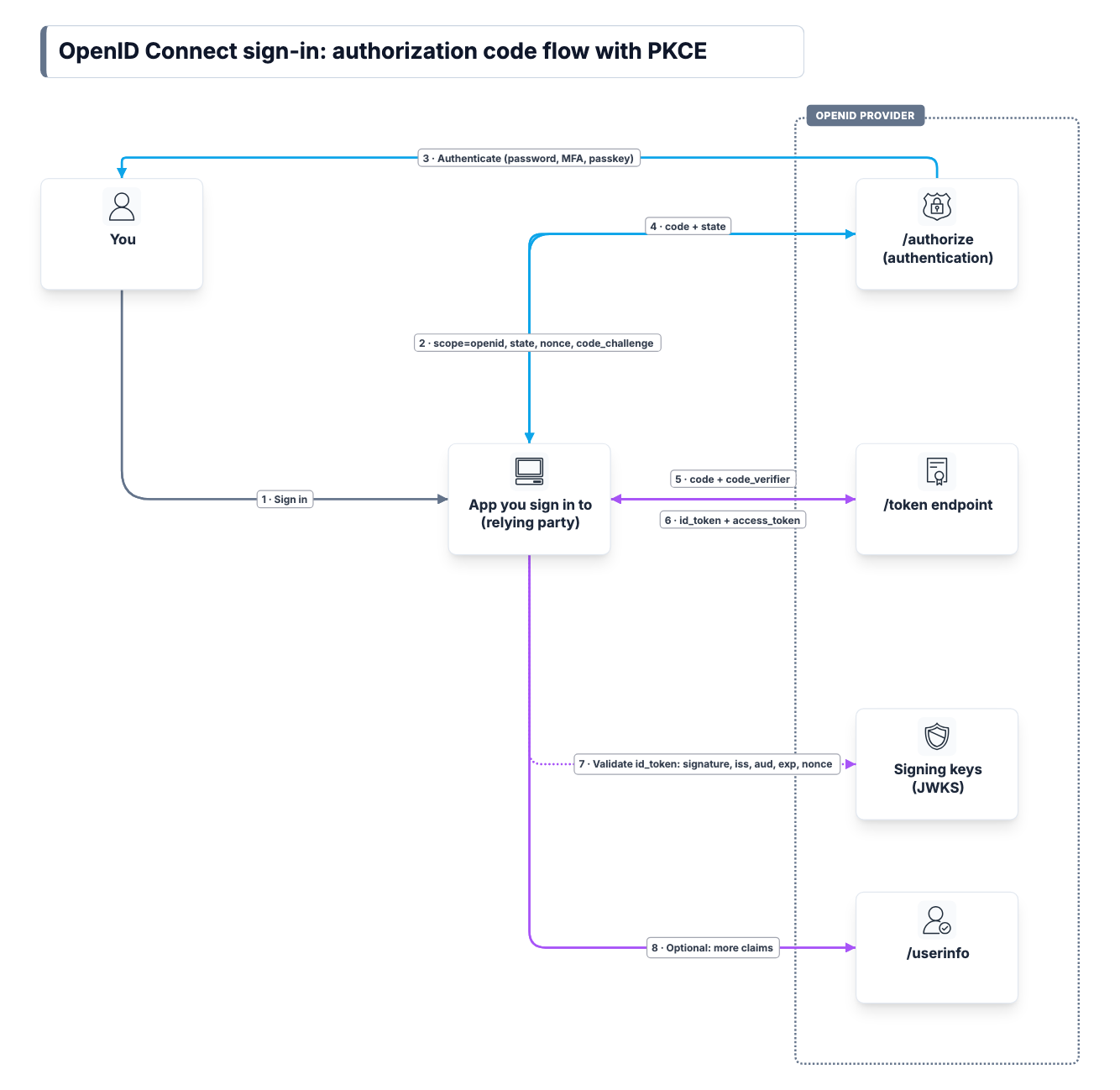 SecurityOpenID Connect sign-in: authorization code flow with PKCEOpenID Connect adds identity to OAuth 2.0: a signed ID token that tells an app who signed in. The sign-in flow drawn step by step, what is inside an ID token and how to validate it, which token goes where, logout, and when to use OIDC, OAuth or SAML.
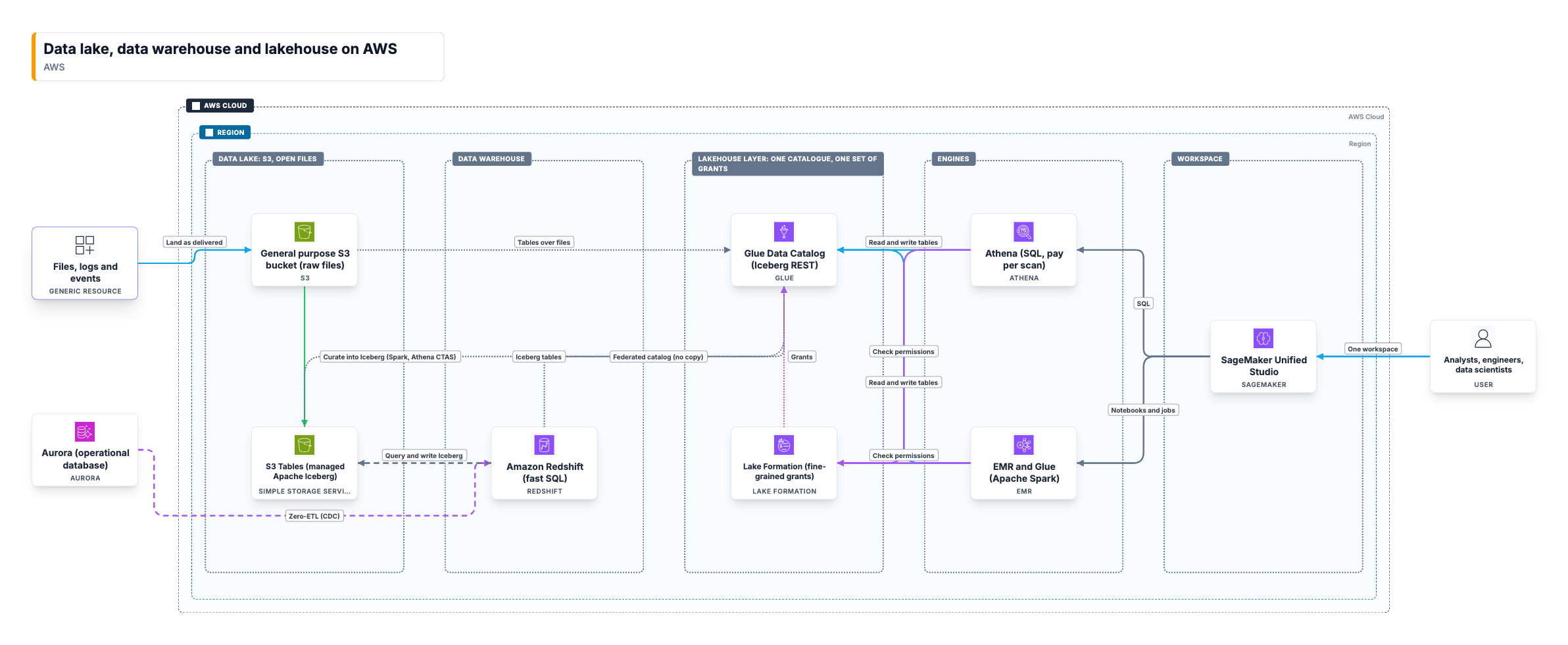 AWSData lake, data warehouse and lakehouse on AWSS3, Glue and Athena vs Amazon Redshift vs Apache Iceberg tables under one catalogue: what each is on AWS, where each fits in one diagram, and which to start with.
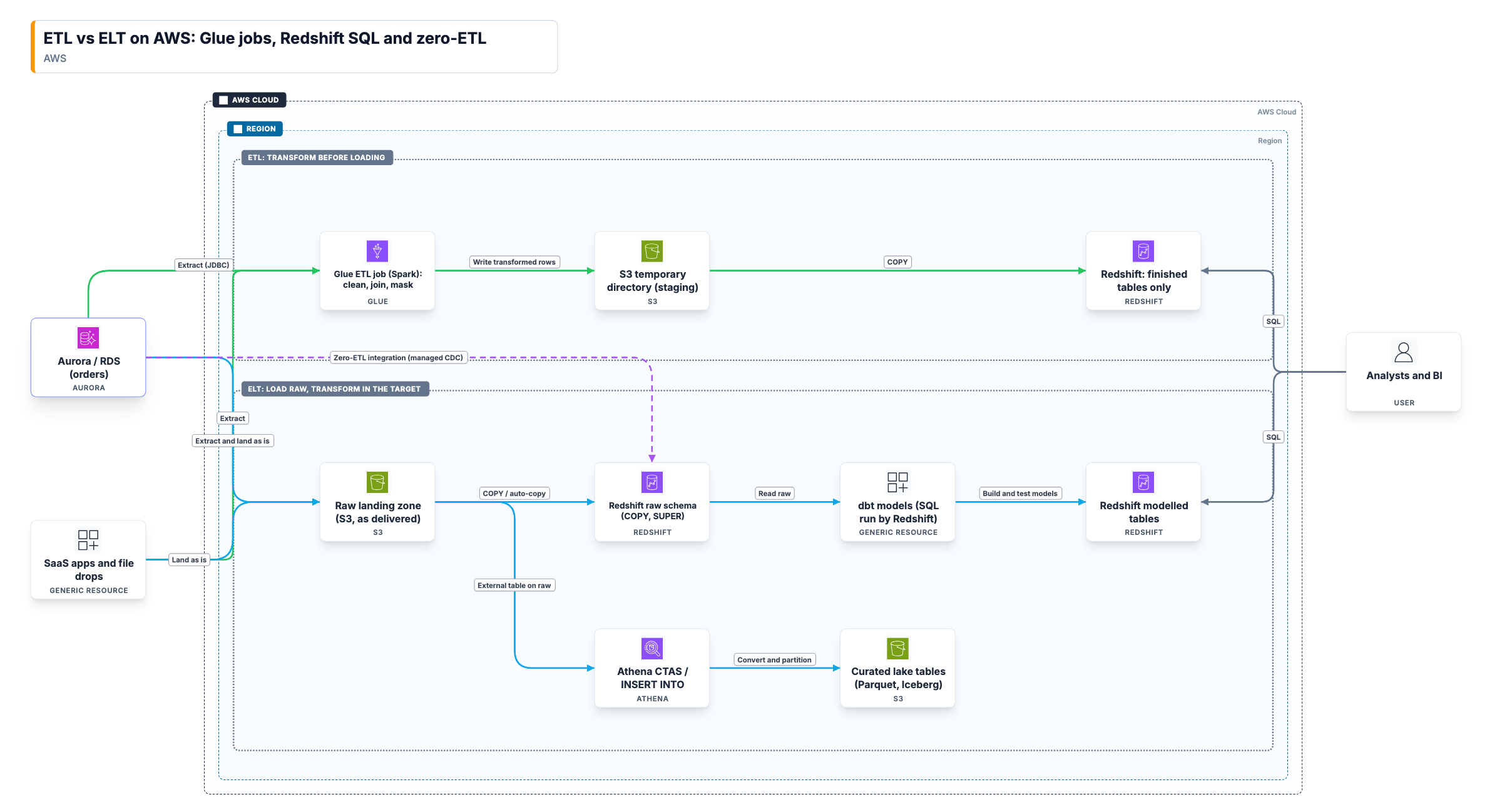 AWSETL vs ELT on AWS: Glue jobs, Redshift SQL and zero-ETLETL vs ELT on AWS, drawn side by side: Glue Spark jobs that transform before loading, raw loads transformed in Redshift or with Athena, and where zero-ETL fits.