SECURITY
OpenID Connect explained: ID tokens, flows and when to use OIDC
On this page
- OAuth gives an app an access token for an API. OpenID Connect adds an ID token that tells the app who signed in.
- Ask for
scope=openidand use the authorization code flow with PKCE. It is the same OAuth flow with one more token back. - The ID token is for the app, never for an API. The access token is for the API, and the app should not read it.
- Validate every ID token: signature, issuer, audience, expiry and nonce.
OpenID Connect (OIDC) is how "Sign in with Google" and "Sign in with Microsoft" work. OAuth 2.0 answers one question: what may this app do for you? It deliberately does not say who you are. OpenID Connect is a thin identity layer on top of OAuth that adds that answer, a signed ID token about the person who just logged in. This guide draws the OpenID Connect sign-in, explains the ID token and its checks, and says when to use OIDC, plain OAuth or neither.
What OpenID Connect adds to OAuth
OIDC renames the parties: the authorization server becomes the OpenID provider (OP), and the client becomes the relying party (RP), because it relies on the provider to say who you are. On top of OAuth it adds a few small things:
- The
openidscope. Putting it in the request is what turns an OAuth request into an OpenID Connect sign-in. Optional scopes ask for more:profile,email,addressandphone. - The ID token. A signed JSON Web Token (JWT) returned from the token endpoint beside the access token.
- The UserInfo endpoint. An OAuth-protected API that returns claims about the signed-in user when called with the access token.
- Discovery. A JSON document at
/.well-known/openid-configurationthat lists the provider's endpoints, its signing keys URL (jwks_uri) and what it supports, so an app can be configured from the issuer URL alone.
Signing in, step by step
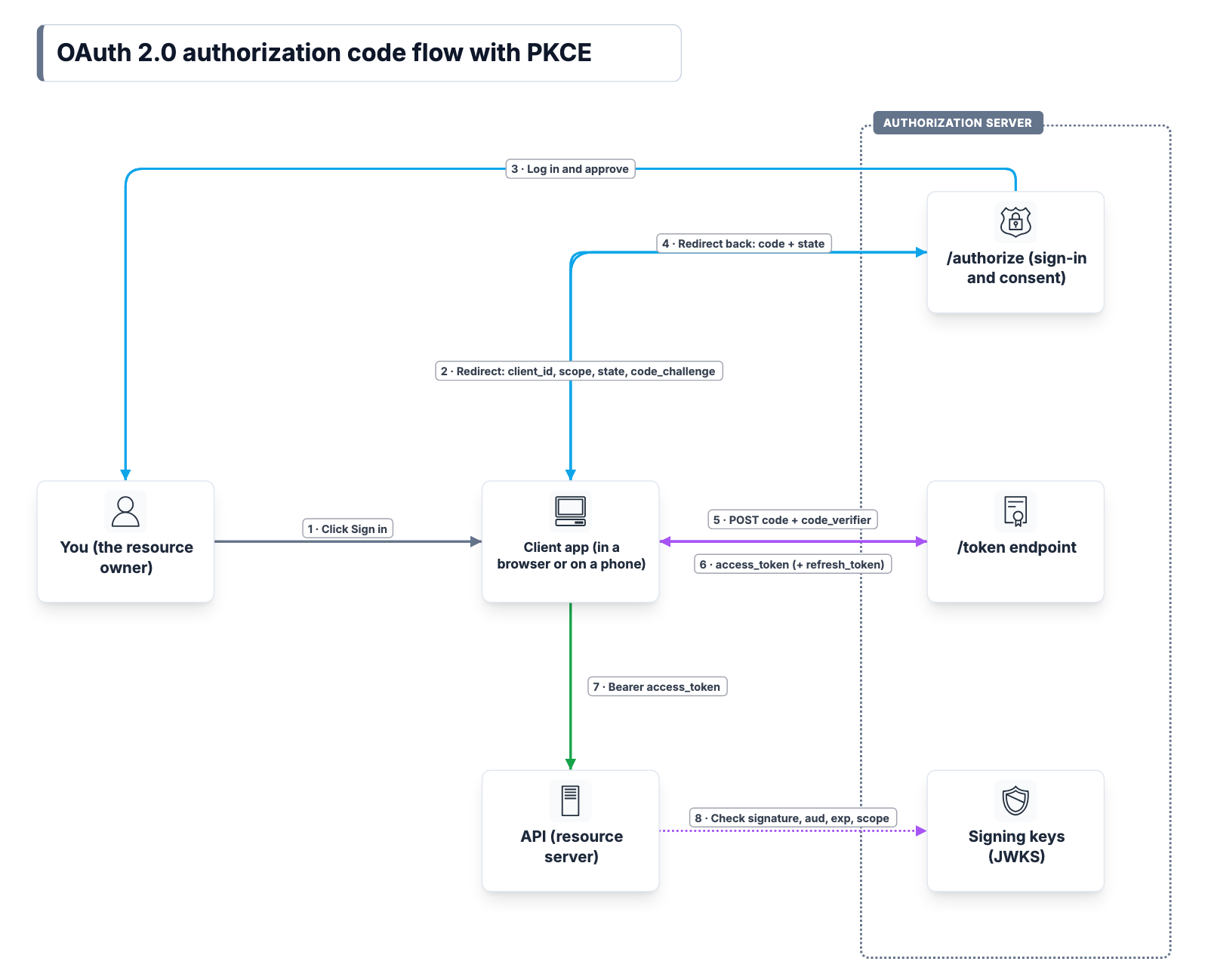
The diagram above is the authorization code flow with PKCE from How OAuth 2.0 works, with the OIDC parts added. Before any of it, the app reads the provider's discovery document once to learn its endpoints and keys.
- You click Sign in in the app.
- The app redirects your browser to
/authorizewithscope=openidplus any other scopes, astate, anonceand a PKCEcode_challenge. - The provider authenticates you: password, multi-factor, passkey or an existing session.
- The browser comes back to the app with a code and the
state. - The app posts the code and the
code_verifierto the token endpoint. - The provider returns an
id_tokenand anaccess_token(and possibly a refresh token). - The app validates the ID token and starts its own session for you.
- Optionally, the app calls
/userinfowith the access token for claims that were not in the ID token.
Inside the ID token
Decode the middle part of an ID token and you get a small JSON object of claims. Five are required:
iss: the issuer, the provider's exact URL.sub: the subject, a stable identifier for you at that issuer. Useissplussubas the user's key, never the email address, which can change or be reused.aud: the audience, which must contain the app's ownclient_id.expandiat: when it expires and when it was issued.
Common optional claims are nonce (echoed from the request), auth_time (when you actually logged in) and amr or acr (how strongly). Profile claims such as name and email appear when their scopes were granted.
Validate it before you trust it
An ID token is only proof once the app has checked it. The OIDC Core spec lists the steps; the ones that matter most are:
- The signature is valid, using a key from the provider's JWKS that matches the token's
kid, with the algorithm you expect. issexactly matches the issuer you configured.audcontains yourclient_id.- The current time is before
exp, allowing a little clock skew. noncematches the one you sent in step 2, which stops an old token being replayed into a new sign-in.
Use a maintained OIDC library for this rather than hand-rolled JWT parsing. Most mistakes in this area are skipped checks.
ID token or access token: which one goes where
The most common OIDC mistake is mixing the two tokens up. They answer different questions and have different audiences.
- The ID token is addressed to your app (
audis the client ID). Read it once at sign-in, then rely on your own session. Do not send it to APIs as a bearer token. - The access token is addressed to an API. The app should treat it as opaque and just pass it on; its format belongs to the provider and the API.
- An access token alone is not proof of login. An app that "signs users in" with plain OAuth and an access token can be fooled by a token issued to a different app. That gap is the reason OIDC exists.
The three OpenID Connect flows
OIDC defines three flows, chosen by the response_type:
- Authorization code (
code): tokens come from the token endpoint on the back channel. Use it, with PKCE, for web, single-page, mobile and desktop apps. - Implicit (
id_tokenorid_token token): tokens come back in the redirect. It was built for browser apps before CORS; it has the same leakage problems as OAuth's implicit flow and is best left alone. - Hybrid (
code id_tokenand friends): an ID token arrives in the redirect straight away and a code is redeemed later. It is mostly found in older enterprise setups; new apps rarely need it.
Signing out
Signing out of one app does not end your session at the provider, nor in other apps that share it. OIDC has companion specs for this. With RP-initiated logout, the app sends the browser to the provider's end_session_endpoint with an id_token_hint and a post_logout_redirect_uri. With back-channel logout, the provider then posts a signed logout_token to every other app's registered logout URI. That token names the user (sub) or the session (sid), so each app can end its own session server side.
OIDC, plain OAuth or SAML?
- Signing people in to your app: OpenID Connect.
- An app calling an API for a user: OAuth access tokens, usually obtained in the same OIDC sign-in.
- Service to service with no user: OAuth client credentials. There is no ID token because there is no person.
- Enterprise single sign-on to existing business apps: often SAML 2.0, which does the same job as OIDC with XML. Most identity providers speak both, and new integrations usually choose OIDC.
Draw your own
Each diagram here opens in archhy. Replace the generic provider with yours, whether Microsoft Entra ID, Google, Amazon Cognito, Okta or Keycloak, and add the APIs your access tokens are meant for. Blue arrows go through the browser, purple go server to server.
video course This article is taught step by step in OAuth 2.0 and OpenID Connect, Drawn Out.
Frequently asked questions
What is the difference between OAuth and OpenID Connect?
OAuth 2.0 lets an app get an access token to call an API for you. OpenID Connect builds on it and adds an ID token that tells the app who you are, so the app can sign you in.
Can I send the ID token to my API?
No. The ID token's audience is the client app. APIs should accept access tokens issued for them, and check their audience and scopes.
What is the nonce for?
The app sends a random nonce in the sign-in request and checks that the ID token carries the same value. That ties the token to this sign-in and stops an old token being replayed.
Which OpenID Connect flow should I use?
The authorization code flow with PKCE, for every kind of app. The implicit and hybrid flows exist for older setups.
based on Original archhy explainer and diagrams, checked against OpenID Connect Core 1.0, OpenID Connect Back-Channel Logout 1.0 and RFC 9700.
more on security
 How OAuth 2.0 works: every flow, drawn outOAuth 2.0 lets an app act for you without seeing your password. Here is every flow drawn step by step: authorization code with PKCE, with and without a client secret, the retired implicit flow, client credentials and the device flow, and which one to use.
 Share an RDS database across VPCs with a PrivateLink resource gatewayOne Aurora database reached from two AWS accounts, without VPC peering, a Transit Gateway or a load balancer: how resource gateways, resource configurations and resource endpoints fit together, even with overlapping CIDRs.
 External Secrets: prompt secret delivery without exposing valuesA Kubernetes External Secrets diagram should explain how an application receives a value without containing that value. This example draws the reconciliation and consumption paths using symbolic names, with authentication left explicit rather than guessed.