// blog › google cloud
GOOGLE CLOUD · SERVERLESS
Cloud Run web app architecture on Google Cloud
On this page
- Put an external Application Load Balancer and Cloud Armor in front, and set Cloud Run's ingress so it only accepts traffic from the load balancer.
- Split the frontend and API into separate Cloud Run services so each scales and deploys on its own.
- Reach the cache and database privately through the VPC, and keep secrets in Secret Manager, mounted as volumes.
- The security blueprint is from March 2023. Check newer networking options before copying it exactly.
A Cloud Run web app architecture can be as small as one container behind a URL, and that is part of Cloud Run's appeal. A production site usually needs more: a load balancer with a firewall in front, a separate API, a cache, a database on a private address, and secrets that never sit in environment variables. This post combines two Google Cloud references, a three-tier web app template and a security blueprint for Cloud Run, into one diagram, and explains where each piece earns its place.
The problem: serverless, but not wide open
By default a Cloud Run service gets its own public URL. That is perfect for a prototype and awkward for production: anyone can bypass your firewall by calling the URL directly, the database needs a path in, and secrets tend to end up in environment variables. The goal is to keep Cloud Run's scale-to-demand model while closing those gaps.
The design
Follow a request through the diagram (open the diagram):
- The user's request reaches an external Application Load Balancer, a layer-7 entry point. A Cloud Armor policy on it applies preconfigured rules against common web attacks such as SQL injection and cross-site scripting, plus DDoS protection.
- The load balancer forwards to the frontend Cloud Run service. Its ingress setting, "internal and Cloud Load Balancing", refuses anything that did not come through the load balancer; in Google's blueprint an organisation policy enforces that setting.
- The frontend serves the web client, which calls a separate API service, also on Cloud Run.
- The API reaches the VPC through a Serverless VPC Access connector. It reads from Memorystore for Redis first, and goes to Cloud SQL on a private address only on a cache miss.
- Secrets come from Secret Manager as mounted volumes; images come from Artifact Registry; keys you manage in Cloud KMS encrypt them; logs and metrics go to Cloud Logging and Monitoring.
The three tiers and the cache come from the template; the load balancer, Cloud Armor, ingress control, connector, secrets and keys come from the blueprint. Neither source shows the whole picture alone.
Security notes from the blueprint
- Give each component its own service account with narrow roles, and never use the default Compute Engine service account. The blueprint uses six.
- Restrict egress. The blueprint's firewall rules deny everything except HTTPS to Google's restricted API address, which keeps API traffic inside VPC Service Controls.
- Keep Cloud Run's request timeout sensible; the blueprint relies on the 120-second default to limit resource exhaustion.
- The blueprint says plainly what it does not cover: broken authentication, third-party dependencies, error handling. Those remain your code's job.
Trade-offs and cost
- The load balancer is a fixed cost. Cloud Run can scale to zero; a global load balancer and Cloud Armor policy are billed whether or not anyone visits. For a small internal tool, that may dominate the bill.
- Cloud SQL and Memorystore do not scale to zero. The data tier is the steady cost. Add the cache when reads are heavy, not by default.
- Cold starts. A service that has scaled to zero takes time to start. Keep a minimum instance on the user-facing service if first-request latency matters.
- Connection limits. Many Cloud Run instances can open many database connections at once. Cap instances or pool connections so a traffic spike does not exhaust Cloud SQL.
- Tune the firewall. Preconfigured rules catch real attacks and sometimes real users. The blueprint points to Google's rule-tuning guidance; watch the logs before trusting every block.
When not to use it
- Long-running connections or background work that never stops: Cloud Run is request-driven; GKE or Compute Engine may fit better.
- A static site: serve it from Cloud Storage behind Cloud CDN instead.
- Event-driven functions on a supported runtime, where you do not want to manage a container: the blueprint itself suggests Cloud Run functions for those.
How to draw it in archhy
- In the Services drawer, choose the Google Cloud pack. Google's icons come from Google's own download, which you import in the palette; they stay in your browser. Without the pack, the diagram opens with generic icons and a note.
- Place a Project container, a Region inside it, and a VPC network with a subnet for the connector.
- Lay the request path left to right: load balancer, frontend, API, connector, then cache and database. Use Align so the path is one straight line.
- Label the load balancer's rail with the ingress setting. It is the one detail that stops people bypassing the firewall.
- Put the supporting services (secrets, registry, keys, logging) on a row below with dotted rails, then download an SVG from the File menu.
Related: the Azure App Service baseline and serverless SaaS on AWS.
Frequently asked questions
How do I stop people calling my Cloud Run URL directly?
Set the service's ingress to "internal and Cloud Load Balancing", so it only accepts traffic from inside your network or through your load balancer.
How does Cloud Run connect to Cloud SQL on a private IP?
Through the VPC, for example with a Serverless VPC Access connector, as in Google's blueprint.
Do I need Cloud Armor with Cloud Run?
For a public site, it is the usual way to add a web application firewall and DDoS protection at the load balancer.
Does Cloud Run scale to zero in this design?
The Cloud Run services can, but the load balancer, Cloud SQL and Memorystore are billed continuously.
based on Redrawn and discussed from two Google Cloud references: the Three-tier web app template (Application Design Center) and the secured serverless architecture blueprint for Cloud Run (Google Cloud Architecture Center, last updated March 2023). The combined diagram and the commentary are archhy's own.
more on google cloud
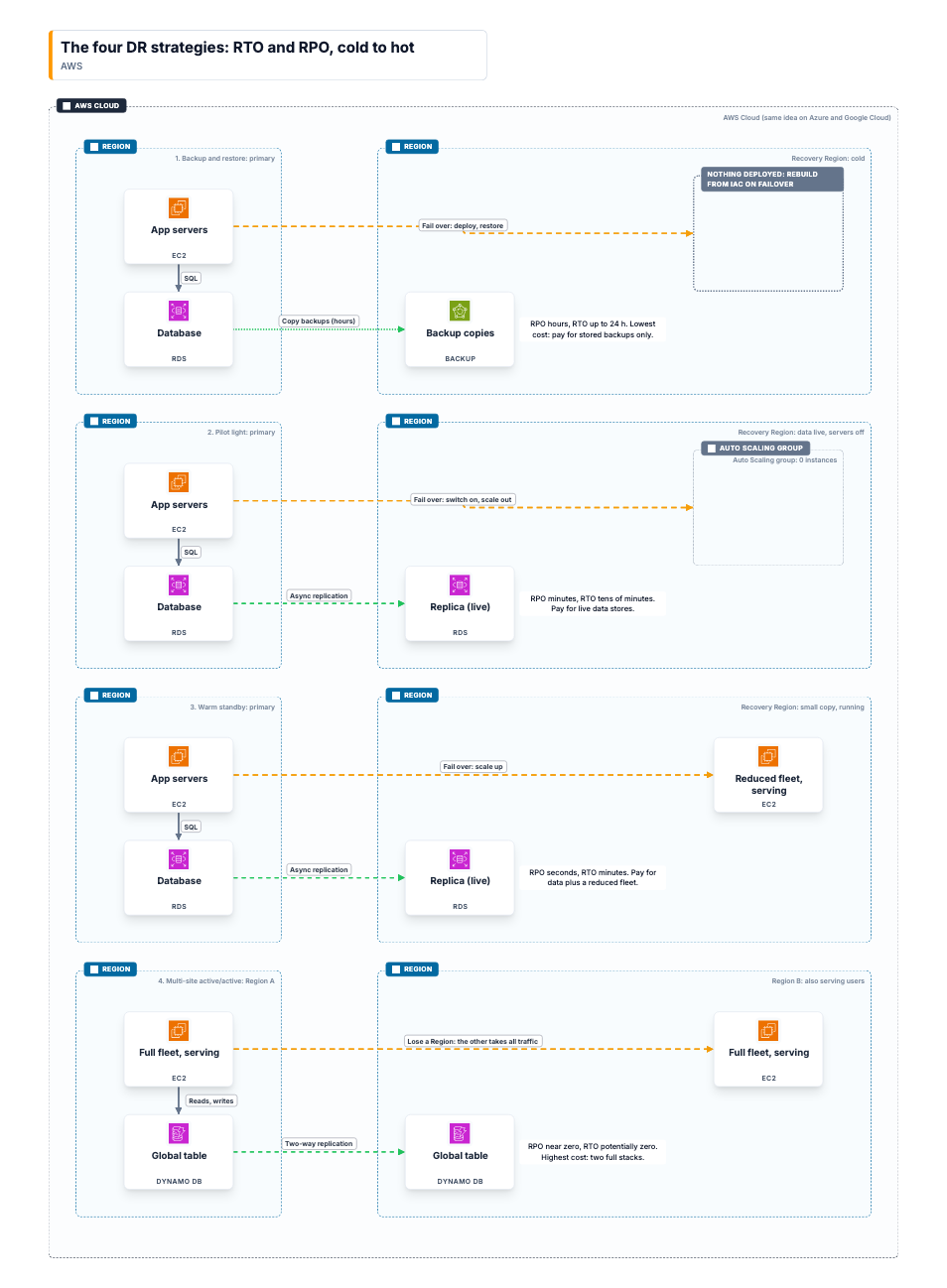 RTO and RPO explained: the four disaster recovery strategiesWhat RTO and RPO mean, with a worked example, and the four disaster recovery strategies from backup and restore to active/active: what runs, what it costs, and how to choose.Azure, Google Cloud and Kubernetes icons for everyoneAzure, Google Cloud and Kubernetes icons are now built in for everyone, one diagram can mix every cloud, and icon packs you import stay in your browser.
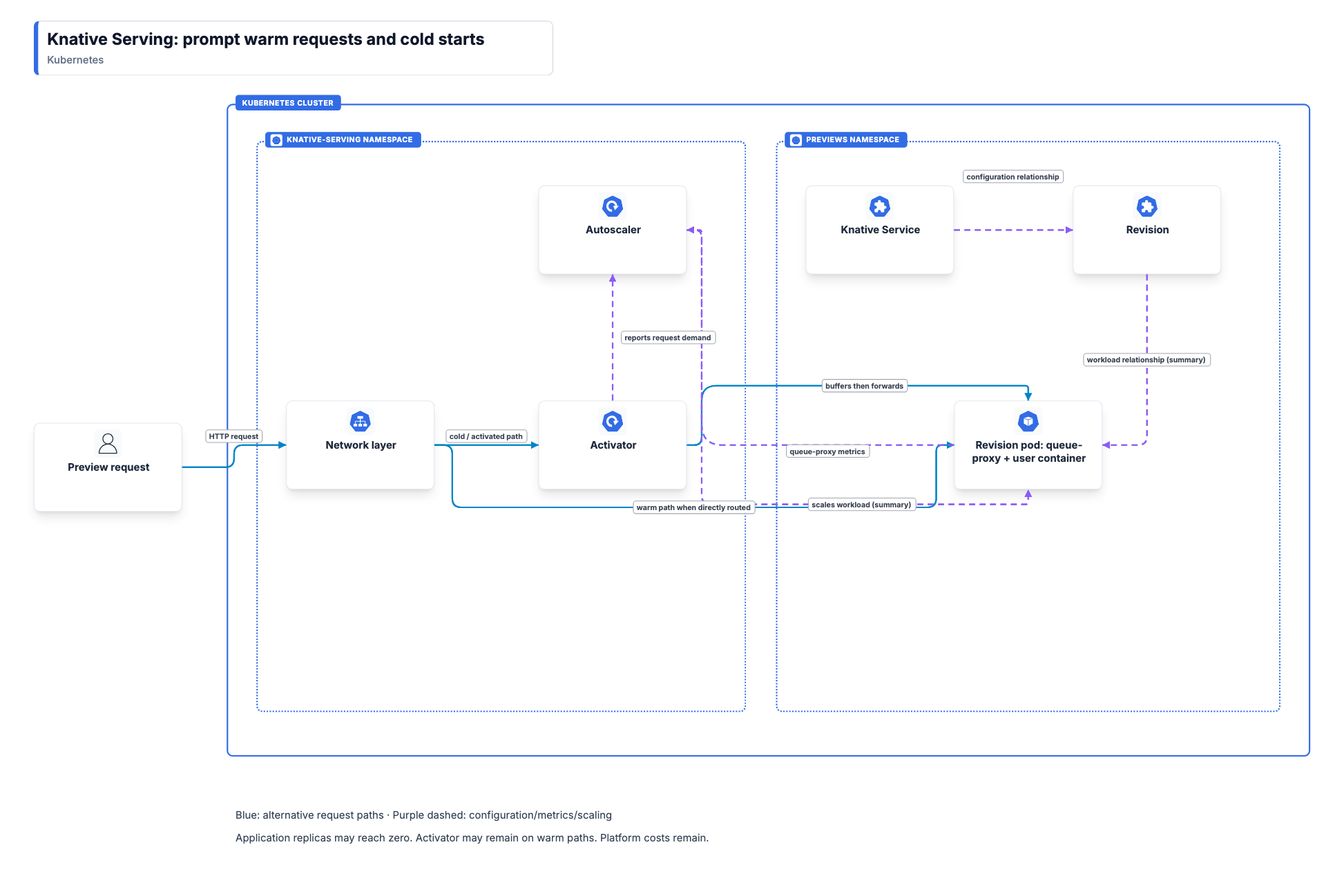 Knative Serving: prompt warm requests and cold startsA Knative Serving diagram should make the conditional cold-start path clear. This example separates platform resources from the application, then shows how the request path changes when application replicas have scaled down.