// diagrams › google cloud
Secured three-tier web app on Google Cloud Run
A secured three-tier web app on Google Cloud Run: load balancer and Cloud Armor in front, separate frontend and API services, Memorystore and Cloud SQL on private addresses, and the costs that do not scale to zero.
Opens a copy in the editor, in a new tab, ready to change. No account needed.
What’s in this diagram
services and parts
- Users
- Cloud Armor policy (preconfigured OWASP rules)
- External Application Load Balancer
- Frontend service (Cloud Run)
- API service (Cloud Run)
- Serverless VPC Access connector
- Memorystore for Redis (cache)
- Cloud SQL (private IP)
- Secret Manager
- Artifact Registry (images)
- Cloud KMS (CMEK)
- Cloud Logging and Monitoring
groups
- Service project
- Region
- VPC network
- Connector subnet
Key points
- Put an external Application Load Balancer and Cloud Armor in front, and set Cloud Run's ingress so it only accepts traffic from the load balancer.
- Split the frontend and API into separate Cloud Run services so each scales and deploys on its own.
- Reach the cache and database privately through the VPC, and keep secrets in Secret Manager, mounted as volumes.
- The security blueprint is from March 2023. Check newer networking options before copying it exactly.
The whole story, step by step: Cloud Run web app architecture on Google Cloud.
More diagrams
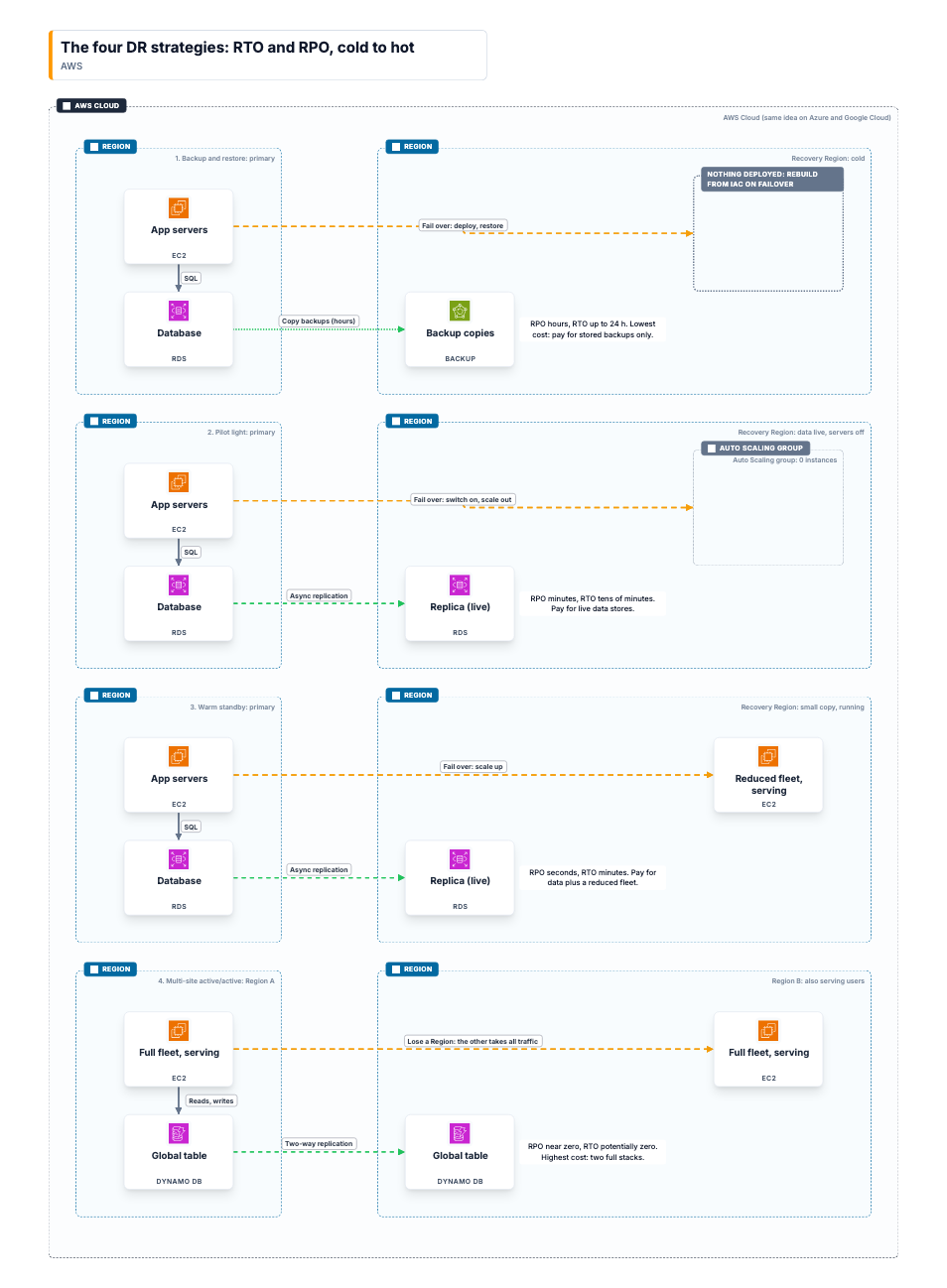 AWS · Azure · Google CloudThe four DR strategies: RTO and RPO, cold to hotWhat RTO and RPO mean, with a worked example, and the four disaster recovery strategies from backup and restore to active/active: what runs, what it costs, and how to choose.
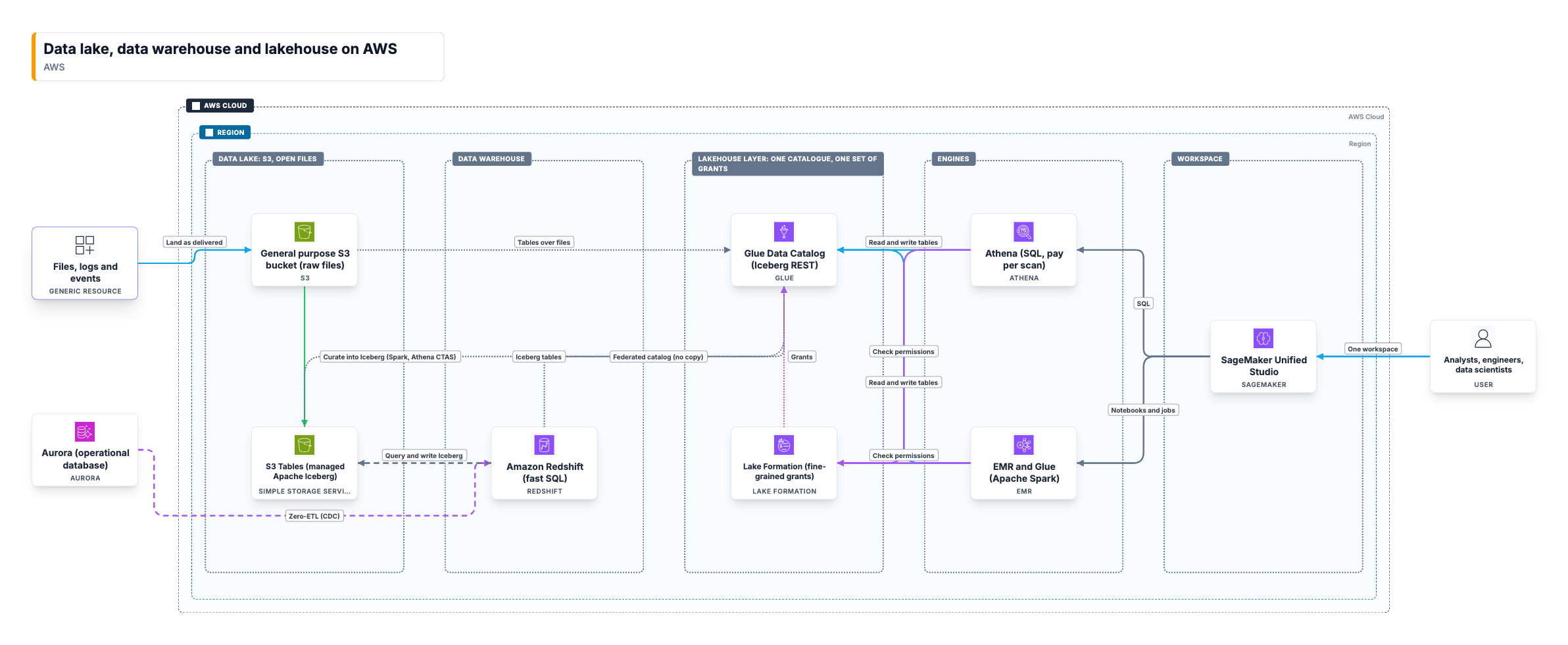 AWSData lake, data warehouse and lakehouse on AWSS3, Glue and Athena vs Amazon Redshift vs Apache Iceberg tables under one catalogue: what each is on AWS, where each fits in one diagram, and which to start with.
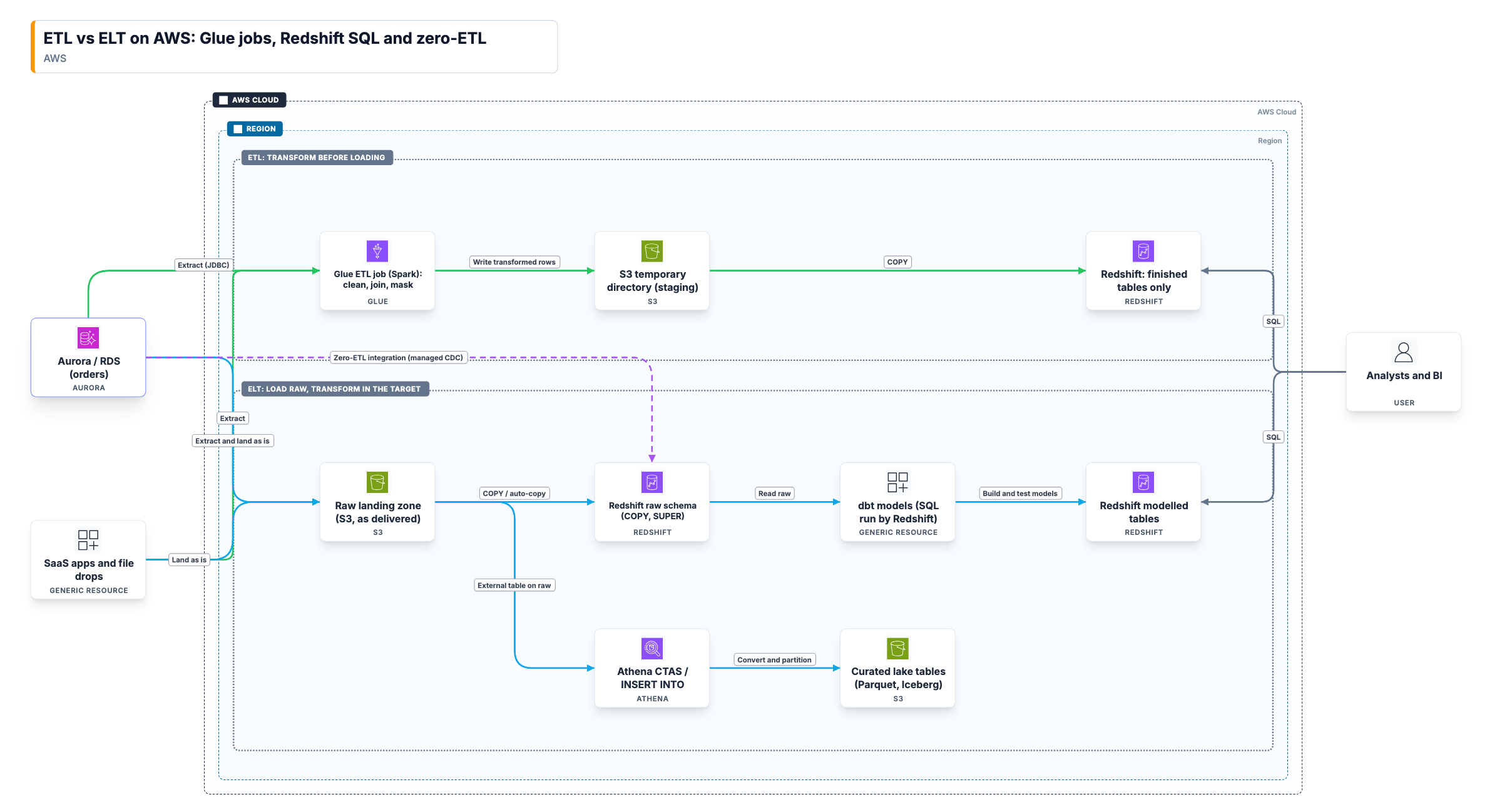 AWSETL vs ELT on AWS: Glue jobs, Redshift SQL and zero-ETLETL vs ELT on AWS, drawn side by side: Glue Spark jobs that transform before loading, raw loads transformed in Redshift or with Athena, and where zero-ETL fits.